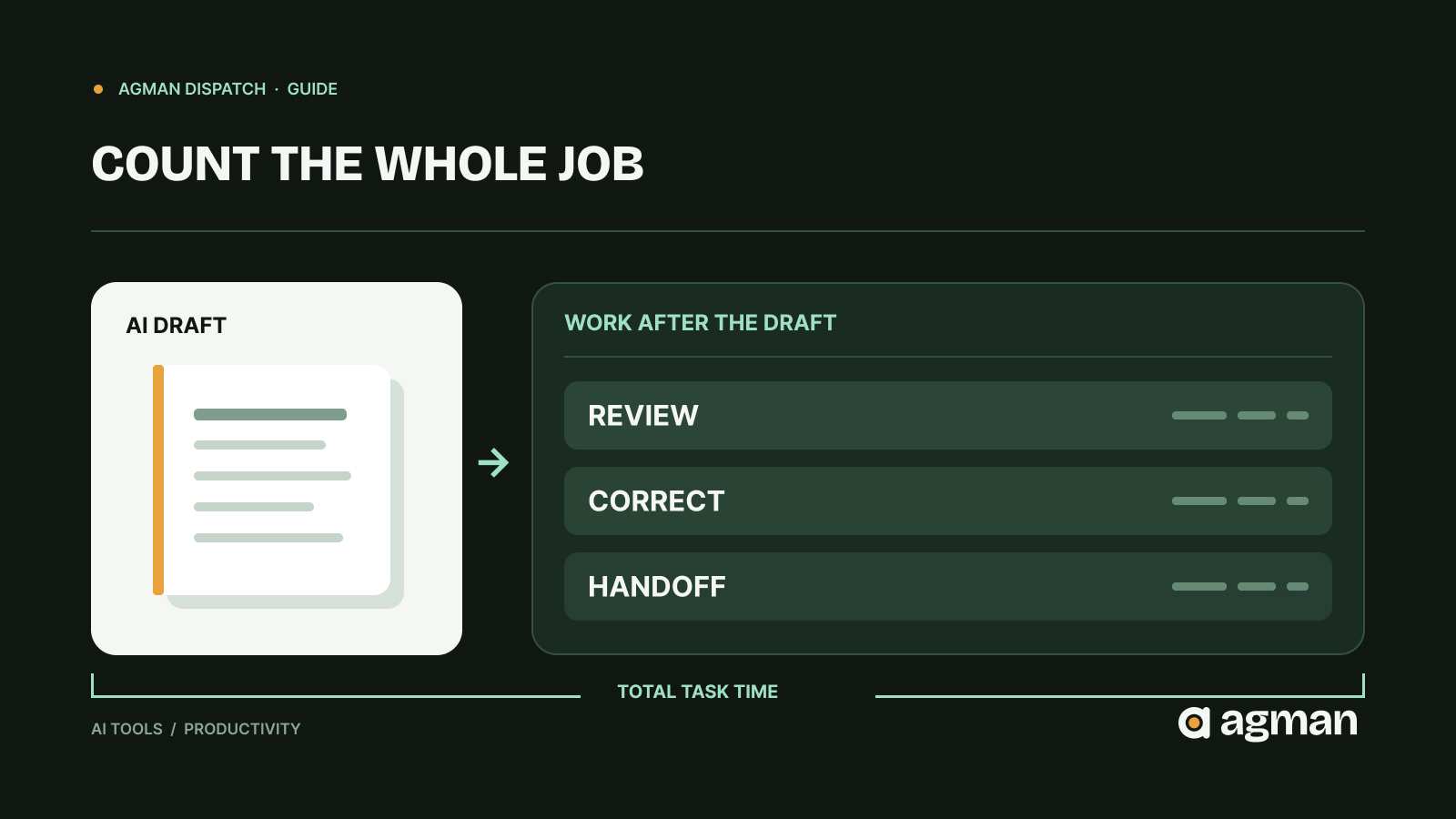
Imagine a small agency trying an AI meeting assistant. The meeting ends, and a polished summary appears almost immediately. It looks useful. Then someone checks the client's name, corrects a misunderstood decision, identifies who owns each action, and copies the tasks into the project tracker.
The summary was quick. The finished work wasn't.
This distinction is becoming more important as AI moves into ordinary business work. A tool can generate an impressive result without removing much of the work that follows it. Sometimes it saves time. Sometimes it moves the work from writing to checking. And sometimes it introduces another system that someone has to maintain.
The sensible question isn't simply how fast the AI responds. It's how much effort remains before the result is usable.
AI adoption is growing. The benefits are less straightforward.
In October 2026, the UK government's Department for Science, Innovation and Technology published the results of its 2026 AI adoption survey.
The research included interviews with 3,503 UK businesses. It found that 32% were using at least one AI technology, compared with 16% in 2025.
Among businesses adopting AI, half reported an overall productivity increase, although the improvements were generally modest. Meanwhile, 64% reported no immediate financial effect from AI adoption.
Those findings don't mean AI is ineffective. Productivity and financial performance measure different things, and businesses may need time to realize a return. The survey also relied on businesses reporting their own experiences rather than independently timing every workflow.
Still, it highlights a distinction worth investigating: using AI, improving productivity, and reducing business costs are not interchangeable outcomes.
The OECD's April 2026 survey of more than 2,000 small and medium-sized businesses across 12 countries reached a related conclusion. Adoption of off-the-shelf AI applications was increasing, but strategic and secure integration into business operations remained uneven. Time constraints, maintenance costs and skills gaps were persistent barriers.
The OECD sample was not nationally representative, so its findings should not be treated as a precise estimate for all small businesses. They do, however, identify a practical issue: obtaining software is easier than making it work reliably within a business.
The demonstration measures the easy part
Consider an AI tool that drafts customer-support replies.
A demonstration might show a complete response appearing in ten seconds. That's useful information about generation speed, but it doesn't tell you whether the response is ready to send.
Someone may still need to check the customer's order history, confirm that the refund policy is current, remove an unsupported promise, adjust the tone and enter the final response into the support system.
That review is not necessarily wasted effort. It may be essential to protecting the customer and the business.
The problem arises when the time required for review is excluded from the productivity claim.
A similar issue appears in research assistants, automated reports, coding tools and AI meeting notes. The output may be produced quickly while verification, integration and exception handling remain substantial.
In a May 2026 Reddit discussion about AI tool overload, one participant described applications that worked individually but left people transferring context between separate systems. It's one person's account, not representative research. But it describes a recognizable workflow problem: the work between tools can become as important as the work inside them.
Measure the complete job, not the generated output
A useful comparison starts with the same task performed two ways: your current process and the proposed AI-assisted process.
For the AI-assisted version, count five components:
Generation time: How long does the tool take to produce its output, including preparing the input?
Review time: How long does a person spend checking whether the output is accurate, complete and appropriate?
Correction time: How much effort is required to repair mistakes or fill gaps?
Handoff time: What does it take to move the result into the place where the work actually happens?
Setup and maintenance: How much time is spent configuring, updating, troubleshooting or supervising the tool? Spread recurring and initial setup effort across the tasks it supports.
Together, these give a more useful measure:
Total AI-assisted time = preparation and generation + review + corrections + handoff + allocated setup and maintenance.
Compare that total with the time needed to complete an equivalent task using your existing method.
A worked example
Suppose a freelancer prepares a recurring client update. Without AI, the task takes 22 minutes.
A new assistant produces a draft in two minutes. That sounds like a substantial improvement.
But imagine the freelancer then spends nine minutes checking the facts, six minutes correcting omissions, four minutes moving the update into the client system, and an average of three minutes per update on tool maintenance and setup.
The total becomes 24 minutes.
The assistant has made the first draft much faster, but the complete task is two minutes slower.
Now imagine a different workflow where the tool draws from a clean, approved source document. Checking takes four minutes, corrections take one, the handoff takes two, and allocated maintenance takes one.
Including the two-minute generation step, the complete task takes ten minutes.
That is a meaningful improvement over the 22-minute baseline.
These numbers are hypothetical, not findings from a product test. Their purpose is to show why the same AI tool can be valuable in one workflow and disappointing in another.
Often, the surrounding process determines the result.
A seven-day test before committing to a tool
You don't need a complicated analytics system to make a better decision. A spreadsheet, timer and a few representative tasks can provide a useful starting point.
1. Choose one repeatable task.
Avoid broad goals such as "improve productivity" or "use AI for marketing." Pick something observable: preparing a weekly report, summarizing meeting decisions, drafting routine replies or organizing research notes.
Define what a finished, acceptable result looks like before testing the tool.
2. Establish the existing baseline.
Time several examples using your current process. Include the steps required to deliver the work, not just create the first draft.
Record meaningful errors or revisions, too. A fast process that regularly produces unusable results is not a strong baseline.
3. Test representative work.
Use the proposed AI tool on several comparable tasks over the week. Include straightforward examples and at least one more difficult case.
For an initial operational decision, five to ten tasks may reveal obvious problems. That small sample is not enough to establish a statistically reliable performance benchmark.
Use public, synthetic or appropriately approved data. Do not upload confidential client information merely to test a product.
4. Record the work after generation.
For each attempt, note the time spent preparing the input, generating the result, checking it, correcting it and delivering it. Record failures separately rather than hiding them inside an average.
Also note whether the tool introduced a new account, integration, approval step or maintenance obligation.
5. Make a decision based on usable outcomes.
At the end of the test, compare the complete task time, acceptable-output rate, recurring cost and error consequences.
Keep the tool if the evidence supports its value. Change the workflow if poor inputs or awkward handoffs are responsible for the extra work. Try an alternative if the tool cannot meet essential requirements.
And if the existing process works better, keep it.
The purpose of a trial is to make a decision, not to justify the subscription.
Some requirements shouldn't be reduced to a time score
Speed is only one dimension of a useful tool.
An AI assistant that processes sensitive customer information, connects to business accounts or performs actions automatically introduces questions that a stopwatch cannot answer.
What data does the provider retain? Which systems can the application access? Can a person review consequential actions? What happens when an output is wrong? Can you export your information and stop using the service?
These should be evaluated before considering the productivity benefit.
The US National Institute of Standards and Technology's Generative AI Profile for its AI Risk Management Framework provides a more systematic starting point for examining AI-related risks throughout the technology lifecycle.
For a small business, the practical lesson is to establish non-negotiable requirements first. If a tool cannot meet an essential privacy, security or oversight requirement, saving a few minutes doesn't make it suitable.
There is also a reasonable counterargument to measuring everything in minutes: some tools are valuable because they improve quality, accessibility or creative exploration rather than speed.
A designer might deliberately spend longer exploring alternatives. A researcher might use AI to identify questions that would otherwise go unasked. A person with an accessibility need may gain independence even when a task takes the same amount of time.
Those benefits matter. They simply require a different measure of success.
Decide what improvement you want before choosing how to measure it.
The next tool isn't always the next improvement
Before adding a new subscription, examine the tools already in your workflow.
Your existing document editor may support the summarization you need. Your project-management software may already handle the automation you're considering. A simple template may solve a recurring task without introducing another account or integration.
That doesn't mean specialized software is unnecessary. A dedicated tool can be the right choice when it handles a difficult job more reliably, offers essential controls or removes work that general-purpose products cannot.
But the comparison should be between complete workflows, not feature lists.
A product recommendation can tell you what software claims to do. A demonstration can show what it does under selected conditions. Neither can establish how much value it will create in your particular work without testing the complete process.
The next time a tool promises to save hours, don't dismiss the claim automatically. Give it a fair test.
Start the timer when the work begins. Stop it when the work is genuinely finished.
The difference is where the useful answer lives.